


Pixel Beads
4.454.00 Reviews
App Specs
- Version
- 1.2.8
- Updated On
- License
- Free
- Downloads
- 10,000+
- Developer
- Kiwi Fun
- Categories
- Board
- Platform
- Android
Screenshots

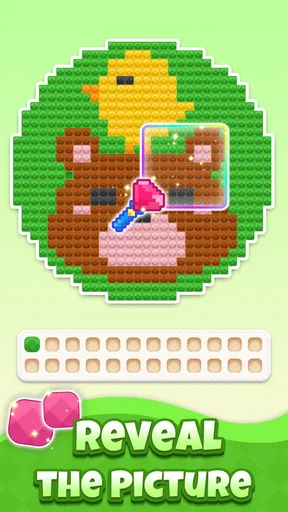
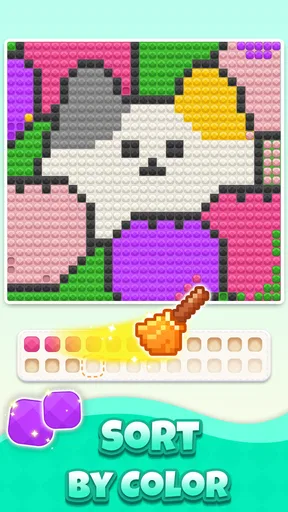
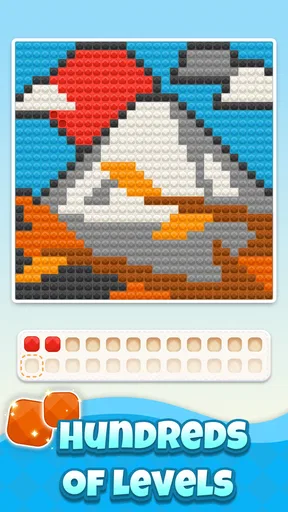
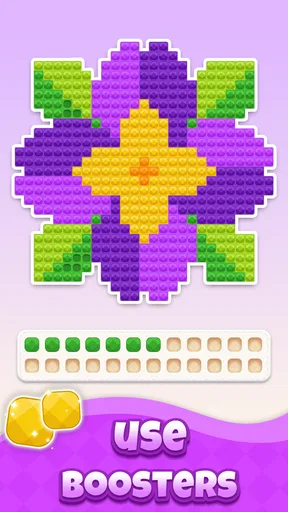
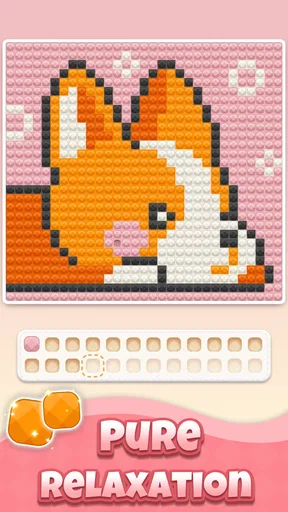

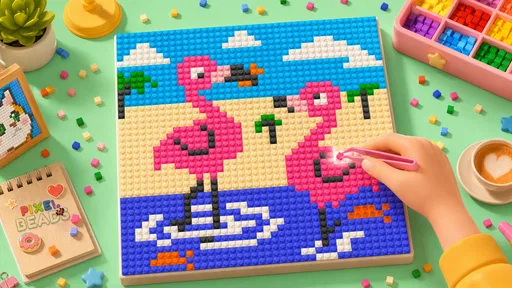
 Analysis by AppCompare
Pixel Beads is a small board game from Kiwi Fun that turns color sorting into a calm pixel-art activity. I spent time with it as the kind of game you open when you want something gentle rather than competitive, and its central idea is easy to understand: arrange gem-like beads by color, complete the pattern, and watch a pixel image take shape. That simple loop gives it an appealing rhythm, especially for short sessions.
The game is free to download, which makes trying it straightforward. It is rated for Everyone, runs on Android 7.0 or later, and the current version is 1.2.8. Kiwi Fun has positioned it as a board-style puzzle rather than a story-driven adventure or a fast arcade challenge. That distinction matters: the pleasure here comes from careful placement and visual completion, not from reflexes, exploration, or a complicated ruleset.
What I like most is that the finished picture gives each small decision a visible purpose. Instead of sorting colors with no clear destination, I am gradually building an image. The strongest part of Pixel Beads is the connection between a tidy sorting task and a satisfying visual reveal. It is a good fit for someone who enjoys coloring books, nonogram-style concentration, or simple matching games but wants something quieter and less demanding.
How Pixel Beads feels to play
I find Pixel Beads easiest to enjoy when I treat each board as a little visual workspace, not a race to finish. In this section, I’ll look at how its color-led layout and simple objective shape the moment-to-moment experience, including why pausing to scan the pattern can be more satisfying than tapping quickly. That also sets up a closer look at how the game may feel across different abilities and situations.
A gentle board puzzle with a clear visual goal
The basic interaction is approachable almost immediately. Colors are the main language of the game, so I do not need to learn a large set of rules before starting. The board presents a sorting problem, while the emerging pixel art supplies motivation to continue. That combination keeps the experience more purposeful than an endless color-matching loop.
In practical use, I found the game best suited to short breaks. It works for a few minutes while waiting for an appointment, but it can also hold attention longer when I want to finish a picture. The lack of a demanding narrative makes it easy to leave and return without remembering a plot, character, or elaborate objective.
This is also why expectations are important. Pixel Beads is not the right choice if you want a deep strategy board game with several viable tactics, social play, or a steadily expanding competitive challenge. Its appeal is narrower and more focused. It offers a relaxing puzzle routine, not a tabletop simulation or a high-pressure brain workout.
Worth Reading Before You Choose

EA SPORTS FC Mobile 26 Is a Bigger Football Game, but It Takes Time

Flipboard Shows What News Apps Must Do Beyond the Feed

Switching to Android Auto Means Rethinking Your Driving Routine

Google Calendar Makes a Crowded Week Easier to Manage

Ludo King Makes the Most of the Minutes Between Plans

Baby Panda World Brings Quick Play to Modern Phones, but Its Game Library Feels Busy
Why the pixel-art reveal changes the experience
Many sorting games can feel repetitive because the action has no emotional payoff beyond clearing the next group. Here, the picture under construction gives me a reason to care about accuracy. A nearly completed image creates a natural urge to resolve the remaining spaces, and that makes the final stage feel different from the opening moves.
A useful way to approach each board is to treat it like a small visual inventory problem. Rather than tapping randomly, I first look for colors that appear in several nearby areas and work through them consistently. This reduces the chance of losing track of where a shade belongs. The method is especially helpful when several colors look similar on a small screen.
Another practical habit is to pause before filling the last few spaces. When most of the image is complete, it is tempting to rush because the answer seems obvious. Taking a moment to compare neighboring colors can prevent a careless placement and keeps the final reveal satisfying instead of frustrating. This is a small tip, but it makes the game feel more deliberate.
What the free entry point means
Pixel Beads is available for free, so the initial decision is simple: install it and see whether the sorting-and-reveal loop suits you. The game also includes in-app purchases ranging from $1.99 to $99.99 per item. That wide range is worth noticing before spending anything, particularly if the game is being used by a child or on a shared device.
The free access gives the game its main value as a low-risk relaxation tool. I can test the controls, the visual style, and the pace without committing money first. Paid value depends on what those purchases provide during actual play, so I would judge any optional transaction by whether it removes a genuine annoyance or merely speeds up an activity that is already designed to be slow and calming.
For me, the sensible approach is to enjoy the free portion first and avoid treating purchases as necessary simply because a board takes patience. A relaxing puzzle loses some of its appeal if I feel pushed to pay to bypass the very process that makes it relaxing. If optional spending improves convenience for a committed player, it may be reasonable; it is less compelling for someone who only wants occasional, low-cost entertainment.
Where it fits among familiar alternatives
Compared with a traditional coloring app, Pixel Beads adds a sorting decision before the image is complete. That makes it more interactive than simply filling outlined areas with a chosen color. Compared with a standard match-three game, it is less about chains, speed, and score chasing. The board remains the focus, but the reward is a finished picture rather than a dramatic cascade.
It also differs from classic logic puzzles such as Sudoku or nonograms. Those games ask me to infer a solution from numerical or positional constraints, while Pixel Beads relies more on visual recognition and orderly placement. Someone who finds number puzzles tiring may appreciate this softer route into focused play. On the other hand, a player seeking complex deduction may find the color-based tasks too straightforward.
Against physical bead sorting or a real coloring book, the mobile format is more convenient and less messy. I do not need a table, supplies, or a place to store an unfinished project. The trade-off is that the tactile feeling of handling real beads is absent. Pixel Beads recreates the visual idea of bead art, but not the physical sensation.
Small habits that make sessions smoother
I recommend playing with the screen at a comfortable brightness and avoiding rushed taps. Because the core task depends on distinguishing colors, visual comfort matters more here than it would in a text-heavy board game. If two shades seem close, I slow down and inspect the surrounding pattern rather than making repeated guesses.
Short sessions are another advantage. I get more from the game when I stop after completing a satisfying section instead of forcing myself to continue indefinitely. The activity is naturally suited to a break between chores, a quiet evening wind-down, or a few minutes away from more demanding apps. It is less suitable when I am looking for a strong burst of excitement.
For younger players, the Everyone rating makes the concept broadly approachable, but adults should still pay attention to the purchase range. The game itself is easy to explain: sort the colors and reveal the art. The spending controls are the part that deserves more deliberate handling on a family device.
Who will get the most from it
Pixel Beads is a good match for players who enjoy orderly tasks, visual progress, and calm repetition. If you like arranging objects by color, completing small pictures, or using a game to settle down after a busy day, its design makes sense. It can also work for someone who wants a board game that does not require fast reactions or a long uninterrupted session.
A realistic everyday scenario would be using it during a commute break or while waiting for food at a café. I can open a board, make visible progress, and close the game without losing the thread of a complicated challenge. Later, the unfinished image provides an immediate point of return. That convenience is more important than it may sound, because many mobile games demand enough attention that they are awkward to play in short gaps.
It may also suit people who find traditional coloring apps too passive. The bead arrangement creates just enough decision-making to keep my attention active. At the same time, it avoids the pressure of timers or opponents, making it a reasonable option for players who want concentration without stress.
The best audience is not necessarily children, despite the Everyone rating. Adults looking for a quiet visual puzzle can appreciate the same simplicity, particularly if they do not want to learn a complex system. The game’s accessible presentation makes it easy to share the basic idea with another person, although the experience itself remains centered on individual play.
Who should probably skip it
I would skip Pixel Beads if my priority were competitive depth, multiplayer interaction, or a large strategic decision space. The sorting-and-art formula is intentionally limited, and that limitation is part of its calming identity. Players who need constant novelty, dramatic progression, or difficult tactical puzzles may quickly feel that the loop is too modest.
I would also be cautious if I dislike color-dependent tasks. The game’s central pleasure comes from recognizing and organizing shades, so that is not a minor detail that can be avoided. Anyone who finds small visual distinctions tiring may prefer a puzzle built around words, numbers, or larger shapes instead.
Finally, I would not choose it as a primary game for a long trip if I wanted a substantial offline-style campaign or a deep sense of progression. Its strength is easy access and low mental pressure. That makes it excellent for brief relaxation, but not automatically satisfying as a single all-purpose game.
Performance expectations and practical fit
The Android requirement is modest, with support beginning at version 7.0, so the game is aimed at a broad range of devices rather than only recent phones. That makes it more approachable for people using older hardware. Still, the experience depends on being able to see the board clearly, so a larger display may feel more comfortable than a very small one when colors and pixel details become dense.
The current release is 1.2.8, and the game has reached more than 10 thousand installs. Its average rating is 4.4 from 214 ratings, with 53 written reviews. Those figures suggest that the concept has found a receptive audience, but they should be read as context rather than a guarantee that every player will enjoy the same pace. A relaxing sorting game can be highly appealing to one person and too repetitive for another.
What matters most in daily use is whether the board remains readable and whether the interaction feels comfortable enough to repeat. I would test that before considering a purchase. Free access makes this easy: spend a little time with the game, try it during the kind of break when you expect to use it, and decide based on that real situation rather than on the attractive idea of pixel art alone.
My value judgment
As a free board game, Pixel Beads delivers a clear and coherent experience. It combines a simple sorting task with a visible creative result, and that is enough to make ordinary waiting time feel more purposeful. I especially value the fact that the game does not need a long explanation before it becomes playable.
The purchase structure changes how I evaluate it. Since individual in-app items can cost from $1.99 up to $99.99, I would not describe every optional purchase as automatically good value. The free entry point is the strongest part of the proposition; paid value should be considered carefully and only after I know exactly what I want from the game. For a casual player, paying may not be necessary to enjoy the central idea.
My own rule would be simple: use the free experience as a relaxation tool, then consider spending only if the game has become a regular part of my routine and the purchase solves a specific inconvenience. I would avoid buying out of impatience. The slow, orderly process is the product’s main character, and bypassing it could reduce the reason to return.
Final recommendation
I recommend Pixel Beads to anyone who wants a free, low-pressure color puzzle with a visual payoff. It is particularly appealing if you enjoy pixel art but want more involvement than a basic coloring app provides. The game is easy to pick up, comfortable in short sessions, and gentle enough for players who are tired of timers, combat, and competitive scoring.
I would not recommend it as a replacement for a deep board strategy game or a feature-rich creative tool. Its charm comes from doing one thing simply, and that means the experience will not satisfy every kind of player. The in-app purchase range also calls for restraint, especially on shared devices or when the game is being introduced to younger users.
Overall, Pixel Beads is worth trying because the free starting point lets the sorting loop prove itself without a financial commitment. If the gradual image reveal gives you the same quiet satisfaction it gave me, it can become a pleasant companion for small breaks. If you need challenge, competition, or rich strategic variety, your money and time will probably be better spent elsewhere.
Pros
- Relaxing pixel-art crafting suitable for short creative sessions.
- Simple controls make it accessible for beginners and younger users.
- Large color palettes support many different design ideas.
- Finished creations can provide a satisfying sense of progress.
- Works well as a casual
- low-pressure activity during spare time.
Cons
- Some patterns may feel repetitive after extended play.
- Detailed designs can require considerable time to complete.
- Small bead sections may be difficult to manage on compact screens.
- Creative freedom may be limited when using preset templates.
- Frequent prompts or ads can interrupt the crafting experience.
FAQs for Pixel Beads
What is Pixel Beads and how does the app work?
Pixel Beads is a creative pixel-art experience where you design colorful patterns by placing virtual beads on a grid. After choosing a template or starting from a blank canvas, you match each space with the correct color to complete the image. The simple tap-based controls make it easy to understand, while more detailed designs can require patience and careful attention.
Is Pixel Beads free to download and play?
Pixel Beads can generally be downloaded for free, allowing users to try its main creative features without an upfront payment. However, availability of templates, extra tools, advertisements, or optional in-app purchases may vary depending on the version and platform. It is worth checking the store listing before downloading, especially if you want a completely ad-free experience.
Is Pixel Beads suitable for children?
Pixel Beads is generally approachable for children because it uses straightforward controls, bright colors, and a relaxing creative format rather than complicated gameplay. Parents should still review the recommended age rating and privacy information on Google Play or the App Store. If the app includes advertising, purchases, or online features, parental controls are advisable for younger users.
Does Pixel Beads require an internet connection?
The basic bead-placement and pixel-art activities may work without a constant internet connection, which makes Pixel Beads convenient for short creative sessions while traveling. Nevertheless, an internet connection may be needed to download new designs, display advertisements, synchronize progress, or process purchases. Offline functionality can differ by device and app version, so testing the app after installation is recommended.
Does Pixel Beads save completed designs and support sharing?
Pixel Beads may allow completed artwork to be saved on your device or kept within the app, depending on the features included in the installed version. Some versions may also provide options for exporting or sharing finished designs through other applications. Before investing time in a large pattern, check the save and sharing controls so you know how your work is stored and recovered.


